Sample result. Images are AI-generated from the photo you upload.
Birthday theme
ONE Cutout Baby baby photoshoot
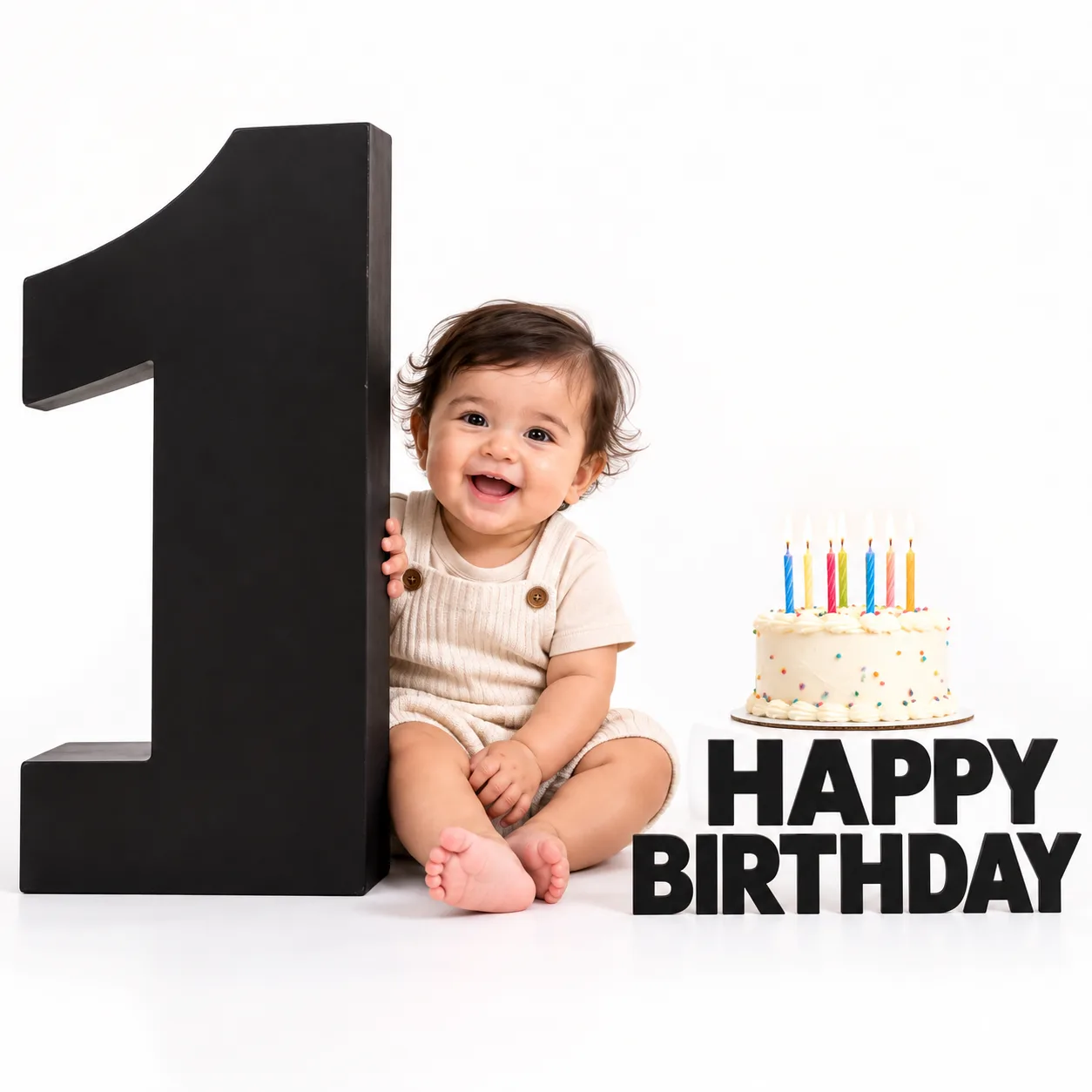
Against a plain white studio background, a barefoot baby in a beige ribbed romper peeks out from behind a giant black number one, one hand resting on its edge. To the right stands a small white cake with coloured sprinkles and six thin candles in blue, yellow, green and pink. Bold black letters on the floor spell "Happy Birthday". With only black, white and beige in the frame, the baby's laughing face becomes the brightest thing in the picture.
The ONE Cutout Baby theme works well when you want a clean, modern first birthday picture. Because the background is white, it drops easily onto an invitation, a party banner or a return-gift tag. You could also post it on the birthday morning as the announcement itself.
- Good for
- Minimal first birthday invitations and banners
- The photo to use
- Choose one clear photo of your baby's face looking at the camera, with a smile or laugh if you can catch one. A plain wall behind and bright, even light give the best match for the white studio.


First photoshoot free. Plans available in the app.
How to make this photo
Step 1
Upload one photo
Open the app and add one clear photo of your baby’s face.
Step 2
Choose ONE Cutout Baby
Find it in the Birthday category and tap it.
Step 3
Save your portrait
It is ready in about 30 seconds. Download it and share it.